
Text Logo Fast Using Generative AI: Designing a logo used to mean hiring a professional, waiting days for revisions, and spending money you may not have had when you were just getting started. Generative AI has changed that equation entirely, making it possible to go from a brand name to a polished text logo in minutes rather than weeks.
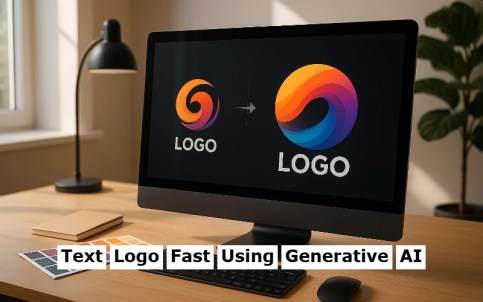
The real challenge now is not whether you can create something quickly, it is knowing which services deliver quality results, which download formats actually serve your needs, and how to make the most of the tools available to you. This guide answers all of those questions with practical, actionable guidance for anyone looking to create a professional text logo using AI.
Why Text Logos Have Become the Smart Starting Point for Branding
A text logo, sometimes called a wordmark, places your brand name front and center using custom typography, styling, and color rather than relying on an icon or symbol.
Some of the most recognized brands in the world use wordmarks exclusively because they are immediately legible, versatile across formats, and easy to reproduce at any size. For new businesses, creators, and side projects, a well-executed text logo communicates professionalism without the visual complexity of a full illustrated mark.
The rise of generative AI in the design space has made wordmarks especially accessible to non-designers. Rather than needing to choose from hundreds of fonts manually, understand kerning and spacing principles, or work within a complex design application, AI-powered logo tools can interpret a brief description of your brand and generate polished typographic options in seconds. The speed advantage is real and significant, particularly for entrepreneurs, freelancers, and small teams who need to move fast without sacrificing visual quality.
What matters most in this process is not just how quickly you can generate a logo, but whether the output is genuinely usable. That means understanding which file formats you need, what settings produce the cleanest results, and how to refine an AI-generated starting point into something that is truly your own.
Understanding Download Formats: SVG, PNG, and When to Use Each
Before exploring how to create your text logo, it is worth taking a moment to understand the two formats you will encounter most often when downloading from an AI logo service. Choosing the wrong format for the wrong context is one of the most common mistakes people make after the creative work is done.
SVG (Scalable Vector Graphics) is a format built entirely from mathematical paths rather than pixels. This means an SVG file can be scaled to any size, from a tiny favicon to a massive billboard, without any loss of quality. For logos, SVG is almost always the preferred professional format because it maintains crisp, sharp edges regardless of how it is displayed or printed. SVG files are also typically small in size and can be opened and edited in vector design applications if you want to make adjustments later.
PNG (Portable Network Graphics) is a raster format, meaning it stores image data as a fixed grid of pixels. PNG files support transparent backgrounds, which makes them extremely useful for placing your logo on top of photos, colored backgrounds, or other design elements. For web use, social media profiles, presentations, and email signatures, PNG is often the most practical format because it is universally supported and easy to use in any context. The limitation is that PNG files have a fixed resolution, so if you download a logo at a small pixel size and then try to display it very large, it will appear blurry or pixelated.
The practical advice is this: always download your logo in SVG format if the service offers it, and keep a high-resolution PNG version as well for everyday use. Having both formats on hand covers virtually every scenario you will encounter, from professional printing to social media.
What Makes a Generative AI Text Logo Service Worth Using?
Not all AI logo generators are created equal. Some produce generic outputs that look identical to dozens of other brands; others give you meaningful creative control and high-quality exports. Here is what to look for when evaluating any service:
- Typography quality: The font choices should feel intentional, varied, and relevant to the brand personality you describe. Generic or mismatched fonts are a sign of a low-quality generator.
- Customization after generation: The best services let you adjust fonts, colors, spacing, and layout after the initial generation rather than locking you into the first output.
- Transparent background exports: Any professional logo needs to be available with a transparent background. This is non-negotiable for practical brand use.
- Vector export availability: SVG or other vector format downloads ensure your logo can be used in print and professional contexts without quality loss.
- Speed and iteration support: AI tools should generate multiple options quickly and allow rapid iteration when you want to explore different directions.
- No watermarks on final downloads: Watermarked exports are only useful as previews. A usable logo requires a clean, watermark-free file.
- Commercial licensing: Confirm that the service grants you full commercial rights to any logo you create and download. This is especially important for business use.
Keeping these criteria in mind will help you quickly identify which tools offer genuine value versus which are primarily built around volume over quality.
10 Tips for Creating a Great Text Logo with Generative AI
1. Write a Specific Brand Description Before You Start
Generative AI tools perform significantly better when given specific, descriptive input rather than vague or generic prompts. Before you open any logo generator, write two or three sentences that describe your brand’s personality, industry, and target audience. Words like “modern,” “playful,” “minimalist,” “bold,” “trustworthy,” or “creative” give the AI useful parameters to work within.
The more context you provide, the more relevant your generated options will be. A prompt like “a clean, modern wordmark for a sustainable skincare brand targeting young professionals” will produce meaningfully different and more useful results than simply entering your brand name with no additional context. Think of this brief as doing the strategic work upfront so the AI has something real to respond to.
2. Generate Multiple Variations Before Committing
One of the key advantages of AI-powered logo tools is speed, and you should use that speed to explore broadly before narrowing down. Generate at least five to ten variations before deciding on a direction. Pay attention not just to which one looks best in isolation, but which one feels most aligned with how your brand should be perceived.
Look for variations that feel distinctive rather than familiar. If multiple generated options remind you of logos you have seen before, that is a signal to push the AI further with more specific or unusual parameters. The goal is to find a starting point that feels genuinely yours, not a generic result that happens to use your brand name.
3. Use Adobe Express for High-Quality AI Text Logo Creation
For a service that combines the speed of generative AI with meaningful creative control and professional-grade export options, the text logo tool within Adobe Express is one of the most capable options available. It allows you to generate polished wordmark options quickly and then customize the result with access to a broad typography library, color controls, and layout adjustments within the same interface.
What sets Adobe Express apart for this use case is the combination of quality and usability. The outputs are grounded in strong typographic principles, and the platform makes it easy to move from a generated starting point to a refined, brand-specific result without needing design expertise.
Crucially, Adobe Express offers clean, professional downloads including transparent PNG files, and the platform is backed by a commercial licensing structure that makes the output fully usable for business purposes. For creators and small businesses who need a logo that works from day one, it is a strong and practical choice.
4. Prioritize Legibility Over Visual Complexity
The most common mistake people make when creating text logos, with or without AI assistance, is choosing visual complexity over legibility. Decorative fonts with heavy ornamentation, extreme stylization, or low contrast against likely backgrounds may look interesting in isolation but fail in real-world use. Your logo will appear in contexts you cannot always control: small on a mobile screen, printed in black and white, displayed on a dark background, or scaled down to icon size.
Test your generated logo at very small sizes before committing to it. If the letters are difficult to read at 50 to 100 pixels wide, the design is too complex for practical use. Simplicity and clarity are not limitations in wordmark design; they are the characteristics that make great logos durable and recognizable over time.
5. Match Font Personality to Brand Personality
Typography carries enormous communicative weight even before anyone reads the actual words. Serif fonts tend to suggest tradition, authority, and trustworthiness. Sans-serif fonts read as modern, clean, and approachable. Script and handwritten fonts feel personal, creative, or artisan. Display fonts project boldness or individuality. Understanding these associations helps you evaluate AI-generated options more critically.
When reviewing the outputs from any AI logo generator, ask yourself whether the typography reinforces or contradicts what your brand is trying to communicate. A legal services firm and a children’s toy brand should never use the same type of font, and a well-calibrated AI tool should reflect that distinction when given appropriate input. If the generated options feel tonally off, refine your description with more specific personality language.
6. Choose Your Color Palette with Strategic Intent
Color in a logo is not just an aesthetic decision; it is a communication tool. Different colors carry well-documented psychological associations that vary by culture and industry. Blues suggest reliability and professionalism. Greens communicate health, nature, or sustainability. Reds project energy, urgency, or passion. Neutrals like black, white, and gray convey sophistication and timelessness.
Many AI logo generators will assign a color palette automatically based on your brand description. Use those suggestions as a starting point, but do not accept them uncritically. Consider where your logo will primarily appear and what your competitors are using. Standing out in a category often means deliberately choosing a color direction that differs from the visual norms of your industry.
7. Download in Both SVG and High-Resolution PNG Immediately
Once you have finalized your text logo, download it in every available format right away, even if you only have an immediate need for one. File organization tends to suffer over time, and having to log back into a service weeks later to re-download your logo is an avoidable frustration. Create a dedicated brand assets folder and save your logo files there immediately after download.
At minimum, you want a transparent-background PNG at the highest available resolution, an SVG file if the service offers it, and a version on both a white background and a transparent background. If the service offers color variations, dark-background versions, or simplified icon crops, download those as well. Having a complete, organized asset kit from day one sets you up well as your brand grows.
8. Test Your Logo Across Real-Use Contexts Before Finalizing
Before you commit to a logo and start using it across your brand, test it in the actual environments where it will live. Drop it onto a mock website header, a social media profile, a business card template, and a document letterhead. Observe how it looks at different sizes and against different background colors.
This contextual testing often reveals issues that are invisible when you are looking at the logo in isolation on a white canvas. A font that looks elegant at large sizes may become illegible when small. A color that works on white may disappear on a light gray background. These are much easier problems to fix before you have deployed the logo across your brand than after.
9. Keep a Text-Only Version in Your Asset Kit
Even if your primary logo incorporates a symbol, icon, or decorative element alongside your brand name, always maintain a clean text-only version of your wordmark as a separate file. Text-only logos are invaluable in situations where you need maximum legibility in a constrained space, such as a website navigation bar, a document header, or a small print application.
Many brands underestimate how often they need a simplified or stripped-back version of their logo. Having a clean wordmark ready to deploy without any accompanying elements gives you flexibility and ensures your brand name is always presented legibly, regardless of context.
10. Revisit and Refine After a Few Days
There is a well-documented tendency in creative work to fall in love with the first option that feels good and stop exploring. After you have generated and shortlisted your favorite text logo options, step away for a day or two before making a final decision. When you come back with fresh eyes, you will often see things you missed the first time, whether that is a spacing issue, a tone mismatch, or the recognition that a different option is actually stronger.
Sharing your shortlisted options with one or two people who represent your target audience is also worthwhile. You do not need to conduct formal research; even a quick, informal reaction from someone outside your own perspective can surface useful insights that improve the final decision.
A Quick Checklist for Finalizing Your AI Text Logo
Before you finalize your text logo and begin using it, run through this checklist:
- The logo is legible at small sizes (50px wide or smaller)
- The font personality matches the brand’s intended tone
- The color palette works on both light and dark backgrounds
- A transparent-background PNG has been downloaded at high resolution
- An SVG file has been saved if the service provides one
- The logo has been tested in at least two or three real-use contexts
- Commercial usage rights have been confirmed with the service
- All asset files are saved and organized in a dedicated brand folder
Frequently Asked Questions
- How long does it actually take to create a text logo using generative AI?
For most users on a modern AI logo platform, the generation process itself takes anywhere from a few seconds to about a minute, depending on the tool and the complexity of the request. The more meaningful time investment comes in the refinement stage, where you review options, adjust colors and fonts, and test the result in context.
For someone who has a clear sense of their brand identity and follows a structured approach, it is entirely realistic to go from a blank screen to a finalized, downloaded logo in under 30 minutes. That timeline expands if you are also working through foundational brand decisions like color palette and typography style at the same time, but even then, a focused session of an hour or two is usually sufficient for most users to produce something they are genuinely happy with.
Do I own the logo I create with an AI text logo generator?
Ownership and licensing terms vary significantly across platforms, and this is one of the most important questions to check before choosing a service. Many reputable AI logo tools grant full commercial rights to logos created through their platform, meaning you can use the output for your business, on products, in marketing materials, and elsewhere without restriction.
However, some free-tier offerings include limitations on commercial use, requiring you to upgrade to a paid plan to unlock full ownership. Always review the terms of service before downloading and deploying any logo. It is also worth noting that logos created through AI tools may not always qualify for trademark registration in the same way as traditionally designed logos, since trademark protection generally requires a sufficiently unique and original mark.
If trademark registration is a priority for your brand, consulting the USPTO Trademark Electronic Search System early in the process can help you assess whether your proposed logo is sufficiently distinctive and whether any similar marks are already registered.
What is the difference between a text logo and a full logo, and which do I need?
A text logo, or wordmark, consists entirely of styled typography representing your brand name with no accompanying symbol or icon. A full logo typically combines a wordmark with a graphic element, often called a logomark or icon.
Both have legitimate uses, and neither is universally better than the other. Text logos are particularly strong for brands where the name itself is distinctive and memorable, and they tend to reproduce cleanly across a wider variety of contexts because there is no icon to misinterpret or lose at small sizes.
Full logos with icon elements can be more versatile in some ways because the icon can function independently of the name in icon-only contexts like app icons or social media avatars. For most new brands, starting with a strong text logo is the most practical approach because it establishes the typographic foundation of the brand and can always be expanded with an icon element later if needed.
Can I edit an AI-generated text logo after I download it?
That depends on the format you download and the tools you have available. SVG files are fully editable in any vector graphics application, which means you can adjust individual letterforms, change colors, modify spacing, or rearrange elements after downloading.
PNG files are raster images and are not directly editable in the same way, though you can make basic adjustments like resizing or color correction in image editing software. If you anticipate wanting to make post-download edits, prioritizing an SVG download is the right approach.
Some AI logo platforms also allow you to return to a project and continue editing within their interface, which is a useful feature to look for if ongoing flexibility is a priority. For more complex modifications, many designers use the AI-generated logo as a starting reference and then refine it in a dedicated vector application to achieve a fully customized result.
Are there any file format considerations I should know about for printing my text logo?
Print contexts have specific technical requirements that differ from web use, and understanding them upfront will save you significant headaches later. For professional printing through a commercial print shop, the standard expectation is a vector file, either SVG or the closely related PDF or EPS format, along with specifications for the exact colors used expressed in CMYK or Pantone values rather than the RGB values used for screen display.
RGB colors can shift noticeably when converted to CMYK for print, so a logo that looks vibrant on screen may appear duller or slightly different when physically printed. If you are printing anything where color accuracy is important, request a print proof before committing to a large run.
For simple at-home or office printing, a high-resolution PNG (at least 300 DPI at the intended print size) is typically sufficient, though a vector file will always produce cleaner results. When in doubt, ask your print vendor what format they prefer before submitting files.
Recommended: AI Song Generator Review For Creators
Creating a Text Logo That Works From Day One
The combination of generative AI and professional export options has genuinely democratized logo creation. What once required budget, time, and specialized expertise can now be accomplished in an afternoon by anyone with a clear sense of their brand identity and the right tools. The services available today are capable enough to produce genuinely strong results, and the key to getting the best out of them is preparation, iteration, and a critical eye for quality.
Start with a specific brief, generate broadly before narrowing down, download in both SVG and high-resolution PNG, and test your logo in real contexts before you commit. Tools like Adobe Express bring AI-assisted generation together with meaningful customization and professional-grade exports in one accessible platform, making them a smart starting point for any brand-building project. With the right approach, your text logo can be one of the fastest and most impactful creative decisions you make for your brand.
Tags: How to create a text logo fast using generative AI free, Free AI logo generator, AI logo generator free without watermark, Text Logo Fast Using Generative AI, AI logo generator from text, Best free AI logo generator, Text Logo Fast Using Generative AI, How to create a text logo fast using generative AI online, Redesign existing logo with AI free, and Free AI logo generator create logos from text brains.
